Repair work is earned at the counter and lost in the hand-offs. The customer explains the problem once, the bench hears a shorter version, and the person at pickup is working from a tag written in a hurry. When something goes wrong, the repair itself is rarely the cause. It is a scratch nobody wrote down, a price that changed without a call, or a ring that left while its pair was still on the bench.
The fix is a single record that every step reads from, from the moment the piece crosses the counter until it goes home. Here is how that flow runs in Omni.
One visit, one ticket, a card for every piece
Start a repair and add each piece the customer brought in, so three rings and a watch become one order with four piece cards on it. Each card holds what the piece is, what needs doing and the price. Staff who would rather talk than type can dictate the write-up beside the box it goes in.
When the customer brings their own stone or part, mark it as supplied by them. The card is tagged Theirs and its price is held at zero, so it can never end up on the bill.
Write down the condition before anyone touches it
The scratch that was there when it came in is the one that causes the argument at pickup. Record each piece's condition on arrival and take the customer's signature at intake, and that record travels with the order to the bench and back to the counter. Condition capture is a setting on Grow and up: switch it on once and it appears on every intake.
A claim ticket the customer keeps
Give every job the number you already file it under, whether you call it a claim number, a job number or something else. Print the claim ticket and hand it over. It carries that number and a QR code that opens the repair's status page.
Let customers check the status themselves
Most "is it done yet?" calls come from a customer who wants to know one thing. The status page answers it in four plain stages: received, being worked on, ready for pickup, picked up. When the shop is waiting on the customer, for example to approve an estimate, the page says so, which turns a stalled job into a nudge the customer can see.
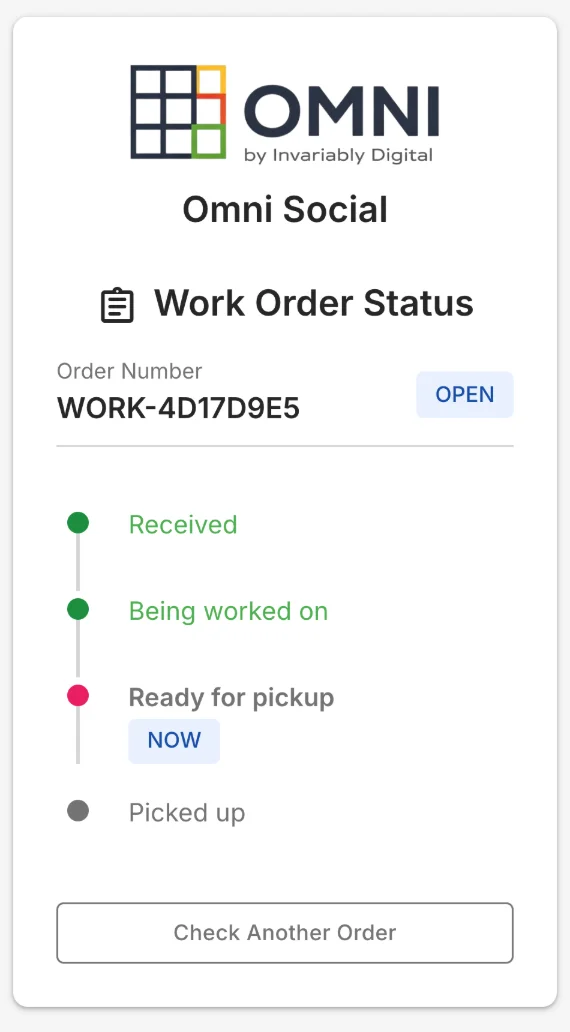
Customers look a repair up by claim number and last name, or by scanning the ticket, and the page keeps to the stage: prices, items and names stay off it. Turn it on in your order settings, and the same page then covers wholesale, online and register orders as well as repairs.
The bench sees what the counter agreed
At the bench, the job page shows what was agreed at the counter next to the work in progress. If the job changes, the counter sees what changed since the quote and why, so the call to the customer happens before the work does. Parts can come straight from your own stock, which keeps the shelf count right, and the job page shows who is holding the piece at any moment.
Shops that bill or measure labor can run a timer on each job. Who-has-it tracking and the labor timer are Grow settings that you switch on when you want them.
Pickup without the mix-ups
When a piece is ready, notify the customer from the job page. At pickup, the counter sees the finished work next to the condition it arrived in, so both sides look at the before and after together. If one piece of a multi-piece visit is done early, let that piece go now: Omni moves it onto its own order so the customer can collect and pay for it, and the rest stay on the bench.
Record the pickup and take payment, and the order finishes itself once both have happened. A repair paid in full at drop-off stays on the work board until it is collected, so paying early never makes a job disappear from the bench.
Where repairs sit in Omni's plans
Repairs, custom orders and service jobs start on the Grow plan, along with condition capture, who-has-it tracking and the labor timer, and the status page comes with them. The jewelry and repair shop pages show how shops in those trades run it day to day.