Omni for auto repair shops: estimates, jobs, parts, payment
Every car written up, estimated, approved and paid on one repair order, with the promised time where everyone can see it.
A car comes in with a noise. The tech finds the cause, the customer says yes to the price, a part has to be ordered, and the owner wants it back by five. Omni puts all of that on one repair order, from the phone call to the payment.
How Omni runs it
From phone call to promised time
A vehicle arrives, the job is written up, and the customer is told when to expect it. That promise is visible to everyone who touches the car. Keep each car on the customer's record with its VIN, make, model, year and plate, and attach it to the repair order instead of retyping it every visit.
The customer says yes before the work starts
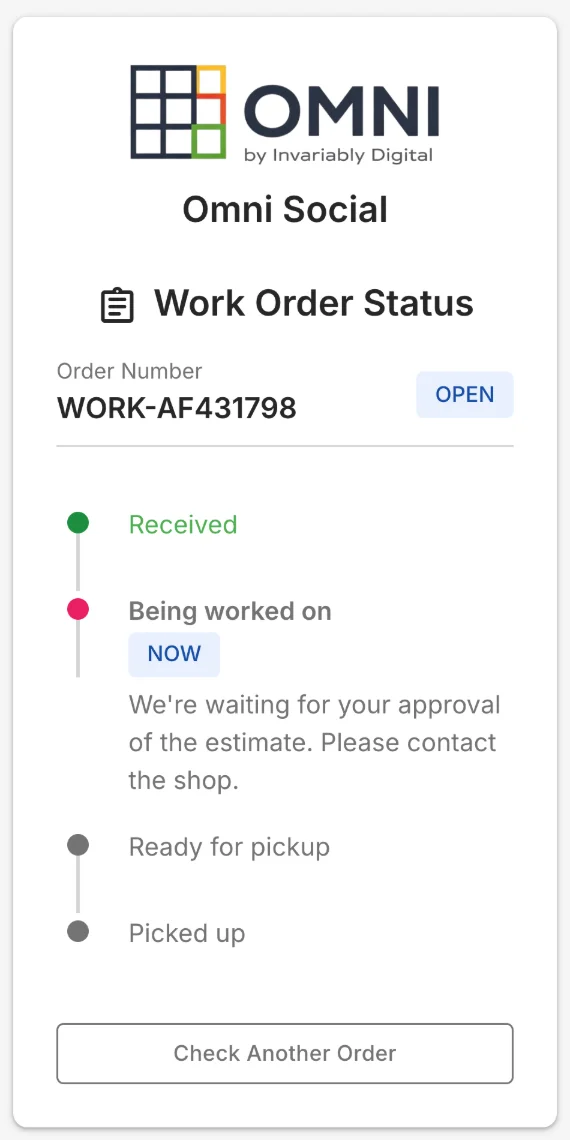
Diagnosis, estimate, approval, then the work. Record how the customer said yes, in person, by phone, email or text, attach the signed estimate, and that approval stays on the job. Turn on online status and a customer checking their repair sees the estimate is ready and the shop is waiting to hear from them. On Power, a job can step back to the estimate when a tech finds more.
The part the job needs next
A part the job needs and you don't have lands on your What to order list. Import the part lists and prices of the vendors you already buy from, turn the list into draft purchase orders grouped by supplier, and receive the part into stock when it arrives.
The whole shop on one board
See every job by step, who has it, when it was promised, and which ones are running late. The board shows the shop as it stands right now.
The diagnosis is still the tech’s call
Keep the scanner, the lift, and the person who knows what the noise means. Omni carries everything that hangs off their decision: the write-up, the estimate, the customer’s approval, the parts on order, the promised time, and the payment at the end.
Runs on Grow — $199/mo
Questions people ask
What happens when a tech finds extra work mid-job?
Add it to the repair order and get the customer's yes before the extra goes ahead. On Power the job can step back to the estimate, so the second approval is recorded on the job like the first. On Grow, note the approval on the order.
How do I order the parts a job needs?
Import your vendors' part lists and prices from the files they send you. A part the job is short of shows up on your What to order list, which turns into draft purchase orders grouped by supplier, and you receive it into stock when it arrives.
Does it read fault codes?
It does not, and it is not meant to. Keep the scanner and the tech who knows what the noise means. Omni carries the write-up, the estimate, the approval, the parts and the payment around that decision.
Worth reading next
Not sure it fits how you work?
Every shop runs a little differently. Tell us how yours works and we’ll tell you straight whether Omni fits — or start free and find out for yourself.
Watch Omni at workPut one job through it, start to finish
Seven days free, and your card stays in your pocket.